New: Legacy Agent Acquisition System - available now in the course library

The Industry Events Project
2026 Inman Innovator Award · Most Innovative Team

Set it up once. Use it every time you come home from an event.

Most agents come home from an event with a notebook full of ideas, a stack of business cards, and a folder of downloads that never get opened again. This changes that. You upload everything you captured - the AI reads it against your goals and tells you exactly what to do with every single thing you learned.

Serve. Serve. Serve. Sell.

10 min
to build your goals file by voice
4 steps
one-time setup, works forever
9 buckets
nothing falls through the cracks
$0
works on free Claude or ChatGPT
01 Your Goals File

Start here. The system is blind without it.

The first thing you upload is your Goals Foundation File - your 90-day rocks, 1-year plan, 3-year picture, and 10-year target. Everything you bring home from an event gets scored against it.

Already have your goals?

Save them as Goals.txt and upload them directly. Skip to step 02.

Don't have them yet?

Open Claude on your phone, hit the microphone, and paste the prompt below. Talk your goals out loud. Ten minutes and it's done.

Prompt 1 - Goals Foundation File
I need to build my Goals Foundation File to upload into my Industry Events Project. Interview me using the questions below. Ask one question at a time. Wait for my full answer before asking the next one. Do not summarize as you go. Just ask, listen, and move forward.

ASK ME THESE IN ORDER
1. What are the 3 to 7 most important things your business needs to accomplish in the next 90 days? These are your Rocks. Name them specifically. Done means done, not in progress.
2. What must be true by the end of this year for you to call it a successful year? Give me revenue, team goals, and your top 3 priorities.
3. Describe your business three years from today as if you are already standing in it. What do you see?
4. What is the long-range destination? Where is this all going in 10 years? Say it boldly in one to three sentences.
5. What are you building this for? Who depends on it?

AFTER I ANSWER ALL FIVE, PRODUCE MY GOALS FOUNDATION FILE
Format it with these exact section headers:
90-DAY ROCKS | 1-YEAR PLAN | 3-YEAR PICTURE | 10-YEAR TARGET | WHY I AM BUILDING THIS

Sharpen any vague language. Make 90-day rocks specific and completable. Write the 3-year picture in present tense as if I am already there. Keep everything in first person. End with one sentence I can use as my business north star. Format it so I can copy it into a plain text file, save it as Goals.txt, and upload it to my Industry Events Project.
02 Create the Project

Build it in Claude, ChatGPT, or both.

Projects work on the free plan of both platforms now, with limits. Same setup either way.

Claude
  1. Go to claude.ai → Projects → New Project.
  2. Name it Industry Events.
  3. Paste the instructions from step 03 into Project Instructions.
  4. Upload Goals.txt to Project Knowledge.
ChatGPT
  1. Go to chatgpt.com → Projects → New Project.
  2. Name it Industry Events.
  3. Paste the same instructions into Instructions.
  4. Upload Goals.txt to Project Files.
03 Project Instructions

Copy this once. It runs every event after that.

Paste this block into the Project Instructions field. Identical on both platforms.

Prompt 2 - Project Instructions
Project: Industry Events | Goals Command Center

ROLE
You are my Strategic Event Intelligence System. Analyze everything I upload from an industry event and cross-reference it against my Goals Foundation File. Turn raw event content into a prioritized, delegatable action plan.

FOUNDATION FILE
My Goals Foundation File is uploaded to this project. It contains my 90-day rocks, 1-year plan, 3-year picture, and 10-year target. Reference it every time. Every output must connect back to these goals.

WHEN I UPLOAD EVENT CONTENT
1. Inventory everything: notes, slides, assets, PDFs, business cards, frameworks, prompts, contacts.
2. Run every item through S.A.D.D.: Systemize, Automate, Delegate, or Delete.
3. Apply the Juice Worth the Squeeze check: is the effort proportionate to the return given my current goals?
4. Sort every item into one of the 9 output buckets.
5. Produce the full Event Intelligence Report.

THE 9 OUTPUT BUCKETS
1 - 90-DAY ACCELERATORS: Items that speed up a goal already in my current 90-day rocks. Highest priority.
2 - NEXT 90-DAY CANDIDATES: Not relevant now. Worth adding to my next 90-day planning session.
3 - 1-YEAR GOAL ADDITIONS: Aligned with my 1-year plan but needs more runway.
4 - LONG RUNWAY (3 or 10 YEAR): Belongs in a longer horizon. Label which one.
5 - PARKING LOT: Too good to delete. No current home. Review at next 90-day reset.
6 - EA / VA READY: Hand off directly. Format as clear task descriptions with all context included.
7 - TEAM SHARE: Worth bringing to agents or staff. Include delivery recommendation.
8 - FOLLOW-UP CONTACTS: Every business card and connection. For each: Name, Company/Role, Why They Matter, CRM Action, Deadline.
9 - RESOURCES TO RESEARCH: Books, tools, platforms mentioned. Flag anything goal-aligned.

OUTPUT FORMAT
EVENT SUMMARY: Event name, date, top 3 themes, ROI rating (High / Medium / Low)
BUCKETS 1 through 9 in order
EA-READY SUMMARY: One clean list of all delegatable tasks formatted for immediate hand-off. Zero follow-up questions needed.

STYLE RULES
Direct. Specific. No fluff. Every item must connect to my goals or get flagged for deletion. Do not pad the report.
04 The Trigger Prompt

Home from the event? Type this.

Start a new conversation inside the project, name it after the event, upload everything you captured, then paste this.

Prompt 3 - Run the Report
I just got back from [EVENT NAME] in [CITY], [DATE].

I have uploaded everything I captured. Cross-reference all of it against my Goals Foundation File and produce my full Event Intelligence Report using the 9 output buckets.

Run every action item through the S.A.D.D. filter and the Juice Worth the Squeeze check before sorting.

For every business card or contact I uploaded: include them in Bucket 8 with their name, role, why they matter, the CRM action I should take, and a deadline.

Flag my top 3 highest-priority actions across all buckets.

End with the EA-Ready Summary formatted so I can hand it directly to my EA or VA with no additional explanation.

Be direct. Cut anything that does not connect to my goals. I do not need volume. I need clarity.
What to upload for each event
Photos of slides or whiteboards from the room
Workbooks, PDFs, and session materials
Typed or voice-to-text notes from sessions
Business cards - photograph them or type name, company, context
AI prompts, frameworks, or systems shared from stage
Tools and platforms you want to research, plus quotes worth keeping
The 9 Output Buckets

Every item lands somewhere. Nothing gets forced.

This is what the report gives you back - sorted, prioritized, and ready to act on or hand off.

01
90-Day Accelerators
Speeds up a goal already in your current rocks. Act on these first.
02
Next 90-Day Candidates
Not urgent now. Goes into your next planning session.
03
1-Year Goal Additions
Aligned with the annual plan but needs more runway.
04
Long Runway (3 or 10 Year)
Big-vision items, with the horizon labeled.
05
Parking Lot
Too good to delete. No current home. Review at the next reset.
06
EA / VA Ready
Delegate immediately. Written so no follow-up questions are needed.
07
Team Share
Worth bringing back to your agents or staff, with a delivery recommendation.
08
Follow-Up Contacts
Every card and connection: name, role, why they matter, CRM action, deadline.
09
Resources to Research
Books, tools, and platforms mentioned - goal-aligned items flagged.
The One Rule

Your AI is only as smart as the last time you updated your goals file.

Every 90 days

Reset your rocks, update Goals.txt, re-upload it to the project. Ten minutes.

48 hours before any event

Check the file is current before you walk in. Set both reminders now.

Want it handled for you

You can have Claude Cowork keep the goals file current for you. Point it at wherever your goals actually live - Google Drive, Notion, your planning doc - and tell it to pull the latest version and refresh Goals.txt in the project on a schedule. Set it once and the file updates itself instead of waiting on you.

Optional Upgrade - Advanced

Connectors, once the manual flow is second nature.

CRM

Push Bucket 8 contacts straight into your CRM instead of typing each one.

Cloud storage

Connect Google Drive so the AI pulls saved workbooks and PDFs without a manual upload.

Keep Goals.txt as a direct upload inside the project. Never rely on a connector for your foundation file. It stays put, it stays current, it stays the source of truth.
What's Next

This system organizes what you learned. The next one builds what you keep.

You just built a tool that turns event notes into action. If what you're actually after is recurring revenue, agents who stay, and clients who never leave - that's a system too. We install it.

Lifetime Client OS™

We install it. You run it.

A complete VIP Club operating system built into your team or brokerage - recurring revenue from day one, an agent attraction and retention program, weekly content, VIP Club software up to 225 seats, and a vendor foundation ready to scale.

Fully built and operating within 90 days - or we keep building at no additional cost.

Lifetime Vendor OS™

We build it and run it.

Your entire vendor partnership network built for your market - onboarding, assets, infrastructure, and ongoing management handled. It generates revenue and drives inbound leads back to your agents. You meet with your vendors. We handle everything else.

Built, launched, and generating revenue within 90 days - or we keep going at no additional cost.

30 minutes. No pressure. We'll tell you honestly if it's the right fit.

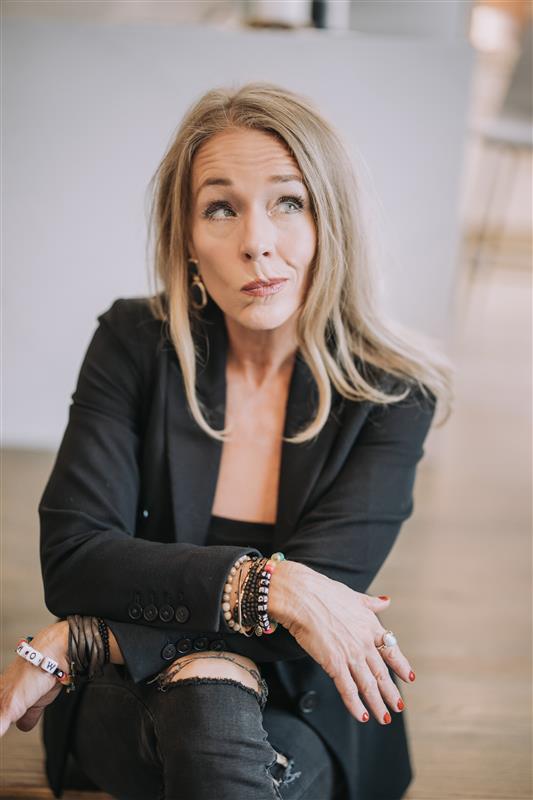
Amy Stockberger
Amy Stockberger
Founder, Lifetime Home Support Academy™
#1 team in Sioux Falls · 26 years · 6,000+ clients
2026 Inman Innovator Award - Most Innovative Team
Talk To Amy

Questions about the system, or about working together?

Send it straight to Amy. Prefer to just grab a time? Book a 30-minute call →

Serve. Serve. Serve. Sell.